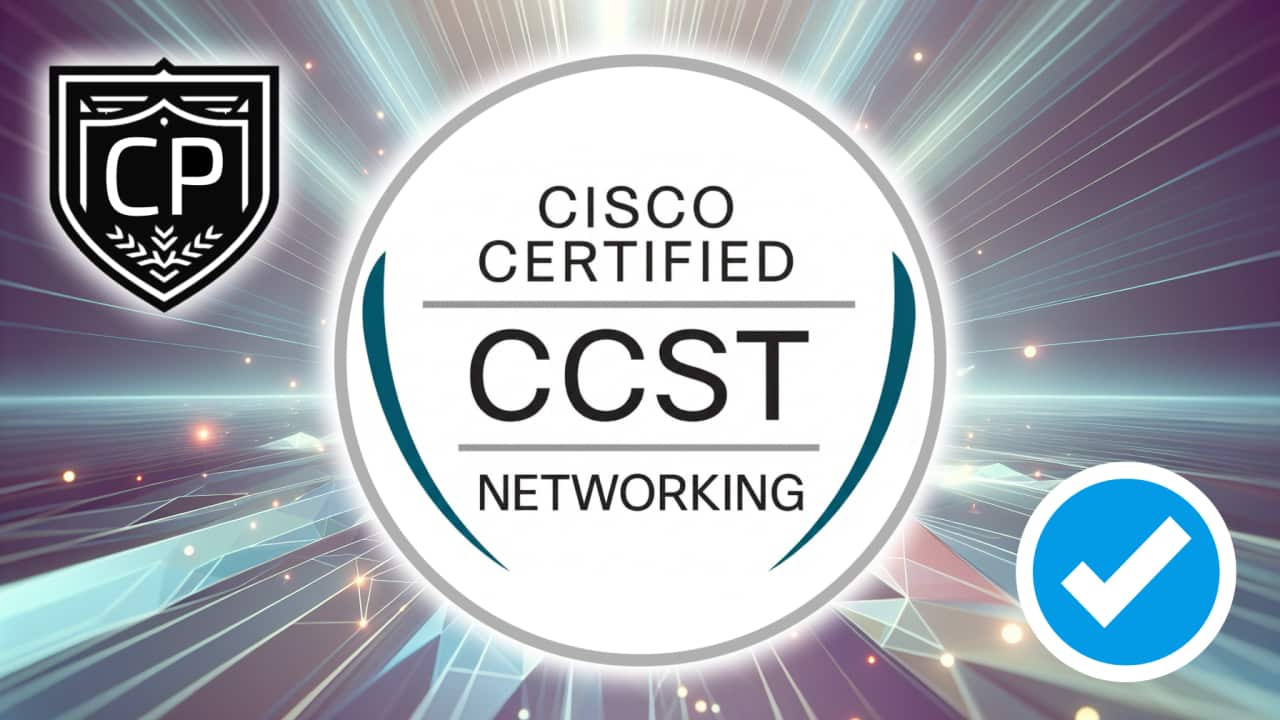
Cisco Certified Support Technician CCST Networking Quick Facts (2025)

Comprehensive Cisco 100-150 CCST Networking exam overview summarizing domains, format, cost, passing score and study resources — covering OSI/TCP-IP, addressing/subnetting, switching & routing, Wireshark, wireless security, and troubleshooting for entry‑level network technicians.

Cisco Certified Support Technician CCST Networking Quick Facts
5 min read
Cisco CCST Networking100-150 CCST NetworkingCisco 100-150CCST exam overviewCCST Networking exam
Table of Contents

Cisco Certified Support Technician CCST Networking Quick Facts

Start your networking journey with confidence as you explore how modern networks connect our world. This exam overview highlights the most important topics, guiding you step-by-step through the essentials you’ll master to earn your Cisco Certified Support Technician CCST Networking certification.

What does the Cisco Certified Support Technician CCST Networking certification focus on?

The Cisco Certified Support Technician (CCST) Networking certification validates your foundational understanding of networking principles, devices, and troubleshooting techniques. It is designed for aspiring network support professionals, IT beginners, and anyone looking to build a strong foundation in digital connectivity. Earning this certification demonstrates that you can identify network components, understand addressing and subnetting, work with Cisco hardware, and apply essential security and troubleshooting concepts. It’s the perfect launch point for a career in IT and a stepping stone toward advanced Cisco certifications.

Exam Domains Covered (Click to expand breakdown)

Exam Domain Breakdown

Domain 1: Standards and Concepts (17% of the exam)

1.1 Identify the fundamental conceptual building blocks of networks.

  • TCP/IP model, OSI model, frames and packets, addressing.

1.1 summary: This section introduces you to the core models and communication structures that make up every network. You’ll discover how the OSI and TCP/IP models organize communication between devices and how frames and packets carry information across different layers. By understanding these structures, you’ll begin to see how data moves through a network and the importance of addressing in ensuring accurate delivery.

In addition, this section helps you connect theory to practice by exploring how these fundamentals support real-world environments. Understanding how each layer interacts allows you to diagnose issues, configure devices more effectively, and appreciate the logic behind network design standards.

1.2 Differentiate between bandwidth and throughput.

  • Latency, delay, speed test vs. Iperf.

1.2 summary: Here you’ll explore how networks measure and optimize performance. You’ll learn to distinguish between theoretical bandwidth and the actual throughput experienced by users. Factors like latency and delay reveal why performance aspects matter even when connections look fast on paper.

You’ll also apply tools like speed testing and Iperf to analyze real network performance. This understanding empowers you to measure efficiency, identify bottlenecks, and make smart recommendations that enhance network reliability and user satisfaction.

1.3 Identify and illustrate common physical and logical network topologies.

  • LAN, WAN, MAN, CAN, PAN, WLAN.

1.3 summary: This section helps you visualize how networks are structured and connected. You’ll identify the major topologies used to organize connections, from local area networks to wide area networks, and explore why each design suits specific scenarios.

You’ll also gain insight into logical versus physical layouts. Knowing how devices link and exchange information provides foundational knowledge for both troubleshooting and future planning in any IT environment.

1.4 Compare and contrast cloud and on-premises applications and services.

  • Public, private, hybrid, SaaS, PaaS, IaaS, remote work/hybrid work.

1.4 summary: In this section, you’ll see how network architecture supports modern work models. You’ll learn about cloud delivery types and service models like SaaS, PaaS, and IaaS, and how they complement traditional on-premises infrastructure.

Understanding these models helps you evaluate which solutions offer the right balance of flexibility, control, and scalability. You’ll also understand the growing importance of hybrid and remote work setups and how these rely on secure, efficient networking.

1.5 Describe common network applications and protocols.

  • TCP vs. UDP, FTP, SFTP, TFTP, HTTP, HTTPS, DHCP, DNS, ICMP, NTP.

1.5 summary: This part focuses on the essential communication protocols that make networks function. You’ll learn what each protocol does and how TCP and UDP differ in reliability and use cases. Recognizing common protocols gives you the vocabulary and understanding needed to interpret network behavior.

By the end of this section, you’ll know the purpose of critical services like DNS for name resolution and DHCP for automatic addressing. You’ll also identify how these protocols work together to enable seamless data exchange among devices worldwide.

Domain 2: Addressing and Subnet Formats (17% of the exam)

2.1 Compare and contrast private addresses and public addresses.

  • Address classes, NAT concepts.

2.1 summary: This section explains how IP address classes define uniqueness and accessibility. You’ll distinguish between private addresses used inside organizations and public addresses used on the internet. Examples and scenarios show how each type supports secure connectivity.

You’ll also explore how Network Address Translation (NAT) plays a key role in bridging internal networks with external ones. Understanding how NAT machines rewrite addresses empowers you to manage connections efficiently and conserve IP space.

2.2 Identify IPv4 addresses and subnet formats.

  • Subnet concepts, Subnet Calculator, slash notation, subnet mask, broadcast domain.

2.2 summary: This section demystifies subnetting and IPv4 addressing. You’ll learn about subnet masks, CIDR notation, and broadcast domains, gaining tools to calculate and segment networks effectively.

Hands-on understanding of subnetting helps you design networks that balance performance and scalability. With practice using calculators and notation, you’ll become comfortable mapping addresses to real-world host needs.

2.3 Identify IPv6 addresses and prefix formats.

  • Types of addresses, prefix concepts.

2.3 summary: IPv6 brings a modern layer to internet addressing, and this section shows you why it matters. You’ll understand the structure of IPv6 addresses, including global, link-local, and multicast addresses.

By learning about prefix lengths, you’ll be able to interpret and structure IPv6 networks as adoption continues to grow. This understanding ensures future-ready skills for expanding global connectivity.

Domain 3: Endpoints and Media Types (17% of the exam)

3.1 Identify cables and connectors commonly used in local area networks.

  • Cable types: fiber, copper, twisted pair; Connector types: coax, RJ-45, RJ-11, fiber connector types.

3.1 summary: This section brings physical connectivity to life. You’ll identify the cables and connectors that link devices in both home and enterprise networks.

Recognizing the features and purposes of different cable and connector types helps you ensure reliable connections. This knowledge forms the base for building and maintaining wired infrastructures effectively.

3.2 Differentiate between Wi-Fi, cellular, and wired network technologies.

  • Copper, fiber, wireless including 802.11 (2.4GHz, 5GHz, 6GHz), cellular, sources of interference.

3.2 summary: You’ll explore how data travels through different transmission mediums. By comparing wired, wireless, and cellular connections, this section shows you the advantages each technology provides.

You’ll also learn how environmental factors and interference affect performance. Understanding these influences helps you support network reliability across diverse conditions.

3.3 Describe endpoint devices.

  • IoT devices, computers, mobile devices, IP Phone, printer, server.

3.3 summary: This section introduces you to the variety of devices that connect to networks today. From traditional desktops to IoT sensors, you’ll learn how endpoints communicate and depend on network infrastructure.

Grasping these relationships broadens your awareness of network demands. You’ll connect technical understanding to real-world device behavior and user experience.

3.4 Demonstrate how to set up and check network connectivity on multiple operating systems.

  • Networking utilities on Windows, Linux, Android, Apple; connectivity commands; wireless client settings.

3.4 summary: Here you’ll enhance your practical troubleshooting skills. You’ll get familiar with tools built into common operating systems to confirm network connectivity and test configurations.

By understanding command-line utilities and wireless setup options, you’ll be equipped to validate connections and assist users on any platform quickly and effectively.

Domain 4: Infrastructure (17% of the exam)

4.1 Identify the status lights on a Cisco device when given instruction by an engineer.

  • Link light color and status (blinking or solid).

4.1 summary: This section develops your ability to interpret device indicators. You’ll learn how link light color and patterns provide valuable clues about connectivity and performance.

Understanding visual signals helps you diagnose issues on the spot and communicate observations accurately with team members or engineers.

4.2 Use a network diagram provided by an engineer to attach the appropriate cables.

  • Patch cables, switches and routers, power, rack layout.

4.2 summary: You’ll practice reading network diagrams and translating them into correct cabling setups. Identifying proper connections between switches, routers, and end devices ensures functional and efficient layouts.

This section also sharpens your organizational skills by teaching you to align equipment placement with power and rack requirements—key habits for professional environments.

4.3 Identify the various ports on network devices.

  • Console port, serial port, fiber port, Ethernet ports, SFPs, USB port, PoE.

4.3 summary: Ports are the physical gateways of networking, and this section ensures you can tell them apart. You’ll identify where and how to connect different cables based on function and device role.

Recognizing port types is fundamental for setup, maintenance, and troubleshooting—it helps prevent mistakes and streamlines installation.

4.4 Explain basic routing concepts.

  • Default gateway, layer 2 vs. layer 3 switches, local network vs. remote network.

4.4 summary: Routing connects networks together, and this section guides you through how it works. You’ll learn the role of default gateways and see how devices move traffic between local and remote networks.

By understanding the difference between layer 2 and layer 3 switching, you’ll see how segmentation and traffic direction support efficient design.

4.5 Explain basic switching concepts.

  • MAC address tables, MAC address filtering, VLAN.

4.5 summary: This section explains how switches control traffic within a network. You’ll study how MAC address tables define communication and how VLANs isolate traffic for performance and security.

These principles form the backbone of enterprise networks, helping you understand how data moves seamlessly and safely among connected devices.

Domain 5: Diagnosing Problems (16% of the exam)

5.1 Demonstrate effective troubleshooting methodologies and help desk best practices.

  • Policies and procedures, accurate and complete documentation, prioritization.

5.1 summary: You’ll learn to structure your troubleshooting process systematically. Documentation, prioritization, and clear communication ensure that network support remains organized and responsive.

The section highlights how detailed records support continuous improvement and knowledge sharing among technical teams.

5.2 Perform a packet capture with Wireshark and save it to a file.

  • Purpose of using a packet analyzer, saving and opening a .pcap file.

5.2 summary: This section gives you hands-on exposure to analyzing network traffic. You’ll use Wireshark to capture packets and interpret their significance in diagnosing performance or configuration issues.

Understanding packet captures develops your investigative mindset, enabling you to validate network behavior and detect anomalies efficiently.

5.3 Run basic diagnostic commands and interpret the results.

  • ping, ipconfig/ifconfig/ip, tracert/traceroute, nslookup; firewall influence.

5.3 summary: This section equips you with practical tools for identifying connectivity issues. You’ll test network paths, verify IP configurations, and determine how firewalls might affect communication.

Through steady practice, you’ll gain confidence using these commands to evaluate both internal and external connections effectively.

5.4 Differentiate between different ways to access and collect data about network devices.

  • Remote access (RDP, SSH, telnet), VPN, Console, NMS, cloud-managed network (Meraki), scripts.

5.4 summary: You’ll explore multiple access methods for managing and monitoring network devices. Understanding how to connect securely through VPNs or remotely via consoles broadens your administrative adaptability.

With exposure to cloud-based management like Meraki, you’ll develop skills aligned with modern infrastructure trends and automation tools.

5.5 Run basic show commands on a Cisco network device.

  • show run, show cdp neighbors, show ip interface brief, show version, show vlan, privilege levels, command help and auto-complete.

5.5 summary: This section strengthens your command-line skills on Cisco devices. You’ll learn to extract crucial information about configurations, interfaces, and system details using common show commands.

Familiarity with these commands empowers you to perform quick assessments and participate confidently in troubleshooting and maintenance tasks.

Domain 6: Security (16% of the exam)

6.1 Describe how firewalls operate to filter traffic.

  • Firewalls (blocked ports and protocols); rules deny or permit access.

6.1 summary: You’ll understand how firewalls act as the network’s gatekeepers. This section explains how rules control what traffic enters or exits, creating predictable and safe operations.

By recognizing how blocked ports or protocols affect connectivity, you’ll gain the insight needed to assist with configuration or policy review tasks effectively.

6.2 Describe foundational security concepts.

  • CIA triad, AAA, MFA, encryption, certificates, identity stores, threats and vulnerabilities, spam, phishing, malware, and DoS.

6.2 summary: Cybersecurity is essential to every network role, and this section gives you its core principles. You’ll learn about confidentiality, integrity, availability, and how authentication and encryption protect systems.

You’ll also understand the practical side of security—recognizing social engineering, phishing, and malicious attacks—to create safer operational environments.

6.3 Configure basic wireless security on a home router (WPAx).

  • WPA, WPA2, WPA3; Personal and Enterprise; wireless security concepts.

6.3 summary: This section provides practical skills for securing Wi-Fi networks. You’ll explore WPA standards and how to configure wireless settings that balance accessibility and protection.

Learning to secure wireless environments increases your confidence in both home and enterprise scenarios. Your ability to apply encryption and authentication strengthens overall network defense.

Who Should Pursue the Cisco Certified Support Technician (CCST) Networking Certification?

The Cisco Certified Support Technician (CCST) Networking certification is perfect for individuals beginning their journey in IT or networking. It’s a great fit for students, recent graduates, technical interns, and entry-level IT professionals who want to build a strong foundation in networking. This certification helps prove that you understand how networks function, including the devices, media, and protocols that make communication possible.

Even if you’re new to technology, earning this credential shows that you have the practical knowledge to support network operations in real-world environments—a valuable skill that employers notice.

What Career Opportunities Can the CCST Networking Certification Lead To?

The CCST Networking certification opens doors to multiple entry-level IT roles. With this credential, you can pursue positions such as:

  • Network Support Technician
  • Help Desk Technician
  • IT Support Specialist
  • Network Operations Center (NOC) Assistant
  • Junior Network Administrator

This certification gives you the confidence and credibility to enter the networking field. It also sets your foundation for more advanced Cisco credentials, especially the Cisco Certified Network Associate (CCNA) certification, which is the next step in the Cisco career path.

Which Version of the Exam Should I Take?

The most current version of the exam is the Cisco 100-150 CCST Networking. This exam represents Cisco’s latest approach to validating the core principles of networking, emphasizing practical understanding and troubleshooting. Whether you’re preparing for your first IT certification or strengthening your networking fundamentals, this exam ensures you’re aligned with industry standards and best practices.

How Much Does the Cisco CCST Networking Exam Cost?

The Cisco 100-150 exam costs $125 USD. Prices may vary slightly based on your location and applicable taxes. This investment provides access to a globally recognized certification that can significantly elevate your career prospects in IT and networking.

How Many Questions Are on the Exam?

The CCST Networking exam features 50 questions that test your practical and conceptual understanding of networking. You can expect multiple-choice and multiple-select questions, along with scenario-based items that simulate typical IT support situations. Each question is designed to gauge your ability to identify, analyze, and troubleshoot basic network issues.

How Much Time Do You Have to Complete the Exam?

You’ll have 50 minutes to complete the 100-150 CCST Networking exam. Time management is key, so practice pacing yourself on sample questions to ensure you can thoughtfully answer each one. Many candidates find that the time provided is reasonable when they’ve practiced with authentic simulations or mock exams.

What’s the Passing Score for the Cisco CCST Networking Exam?

The passing score for the CCST Networking exam is 70%. This means you’ll need to demonstrate a solid understanding of networking fundamentals, including addressing, infrastructure, security, and troubleshooting. Cisco’s scoring model rewards consistent performance across domains, so aim to be well-rounded rather than focusing solely on one knowledge area.

In What Languages Is the 100-150 CCST Networking Exam Offered?

Cisco makes the exam accessible to global learners by offering it in multiple languages. The 100-150 exam is available in English, Arabic, Chinese, Spanish, French, Japanese, and Portuguese. This multilingual approach allows candidates worldwide to pursue their certification in the language they’re most comfortable with.

What Are the Core Domains Covered in the CCST Networking Exam?

The CCST Networking exam blueprint is divided into six key domains, each representing a crucial area of network knowledge:

  1. Standards and Concepts (17%) – Explore models like OSI and TCP/IP, network types, cloud concepts, and core protocols.
  2. Addressing and Subnet Formats (17%) – Understand IP addressing, network classes, and subnet masks.
  3. Endpoints and Media Types (17%) – Learn about cables, connectors, Wi-Fi technologies, and endpoint configurations.
  4. Infrastructure (17%) – Identify ports, devices, and fundamental switching and routing concepts.
  5. Diagnosing Problems (16%) – Master troubleshooting tools like Wireshark, ping, and traceroute.
  6. Security (16%) – Discover firewall operations, authentication models, and wireless protection standards.

Grasping these domains will prepare you to apply networking concepts confidently in real-world environments.

How Difficult Is the Cisco Certified Support Technician Exam?

This certification is designed to be approachable for newcomers while still providing a comprehensive understanding of networking. Candidates who prepare using structured study materials and hands-on learning find it both achievable and highly rewarding. The key to success is consistent study and practice with the exam’s core concepts, especially addressing, troubleshooting, and security principles.

Are There Any Prerequisites for the CCST Networking Exam?

There are no formal prerequisites for taking the 100-150 CCST Networking exam. However, Cisco recommends that candidates have around 150 hours of instruction and hands-on experience related to networking fundamentals. A basic understanding of how devices connect and communicate over a network will make your learning journey smoother and more enjoyable.

How Should You Prepare for the Cisco 100-150 Exam?

Preparation is vital for confidently earning your certification. Cisco and its partners offer excellent training resources through Cisco Networking Academy (NetAcad), where you can follow the Network Technician Career Path.

In addition, you can strengthen your skills with authentic Cisco Certified Support Technician (CCST) Networking practice exams that mirror the real testing experience and include in-depth explanations for each answer. Using these study tools regularly will help solidify your understanding and ensure you’re ready for test day.

What Knowledge Areas Should You Focus On?

To excel on the exam, you should concentrate on these essential topics:

  1. Networking Models and Protocols – OSI and TCP/IP models, addressing, and packet flow.
  2. Cabling and Connectivity – Ethernet cables, connectors, wireless technologies, and signal types.
  3. Device Configuration and Troubleshooting – Using tools like ping, ipconfig, and show commands.
  4. Network Security Essentials – Firewalls, AAA concepts, encryption, and wireless protection methods.
  5. Cloud and Remote Access – Differences between on-premises and cloud-based networks, VPNs, and remote control tools.

These key areas reflect the foundation of modern networking knowledge and practical IT support.

How Long Is the Cisco CCST Networking Certification Valid?

Once you earn your certification, it remains valid for three years. During that time, you can continue learning, gain experience, and prepare for advanced Cisco certifications like CCNA or Cisco Certified CyberOps Associate. Recertifying or advancing ensures your credentials stay current with networking technologies.

After earning your CCST Networking credential, many professionals choose to grow their skills with higher-level Cisco certifications. The most common next step is Cisco Certified Network Associate (CCNA), which broadens your knowledge of routing, switching, and network automation. You could also explore paths in cybersecurity or cloud networking, depending on your interests.

How Do You Register for the Cisco 100-150 Exam?

You can register for the exam through Pearson VUE, Cisco’s official testing partner. Simply create or log in to your Cisco account, select the 100-150 CCST Networking exam, and choose your preferred testing method—either online or at a test center. Once scheduled, you’ll receive a confirmation email with all the details to ensure a smooth testing experience.

Where Can You Take the CCST Networking Exam?

Cisco offers two convenient options for taking your exam:

  1. Online Proctored Exam – Take the exam from home or the office under remote supervision.
  2. In-Person Testing – Visit a certified Pearson VUE test center nearby.

Both options follow the same secure testing procedures and deliver the same reliable certification results.

How Is the CCST Networking Credential Recognized in the Industry?

The CCST Networking certification is globally respected as a trusted entry-level networking credential from Cisco, one of the world’s leading technology providers. Employers value it as proof of foundational knowledge, technical accuracy, and a strong learning mindset. Possessing this certification immediately enhances your credibility when applying for IT or network support roles.

What Tools and Resources Should You Use When Studying?

To prepare effectively, consider using a combination of resources such as:

  • Cisco Networking Academy modules and labs
  • Packet Tracer or GNS3 to simulate network configurations
  • Official Cisco documentation for up-to-date references
  • Online communities and Cisco Learning Network forums for peer support

Combining self-study with hands-on practice ensures you understand not only the theory but also how to apply it.

Can You Retake the Exam if You Don’t Pass?

Yes, Cisco allows retakes if you don’t pass on your first attempt. You’ll simply need to wait the required retake period before scheduling again. Most candidates who put extra time into reviewing their weak areas and practicing with exam-style questions are successful on their next try.

Why Is the CCST Networking Certification Worth Pursuing?

This certification validates that you’ve built a strong technical foundation in networking—skills that every organization needs in today’s connected world. It demonstrates your ability to configure devices, troubleshoot issues, and understand network security principles. Earning this certification not only boosts your confidence but also makes you stand out in a competitive IT job market.

Where Can You Find More Official Information About the Cisco 100-150 CCST Networking Exam?

You can view comprehensive details about registration, exam policies, and updates on the official Cisco Certified Support Technician (CCST) Networking certification page.

With the right preparation, dedication, and practice, you’ll be fully equipped to succeed in the Cisco CCST Networking exam and confidently advance your IT career.
Share this article
Cisco Certified Support Technician CCST Networking Mobile Display
Free Practice Exam:Cisco Certified Support Technician CCST Networking
LearnMore