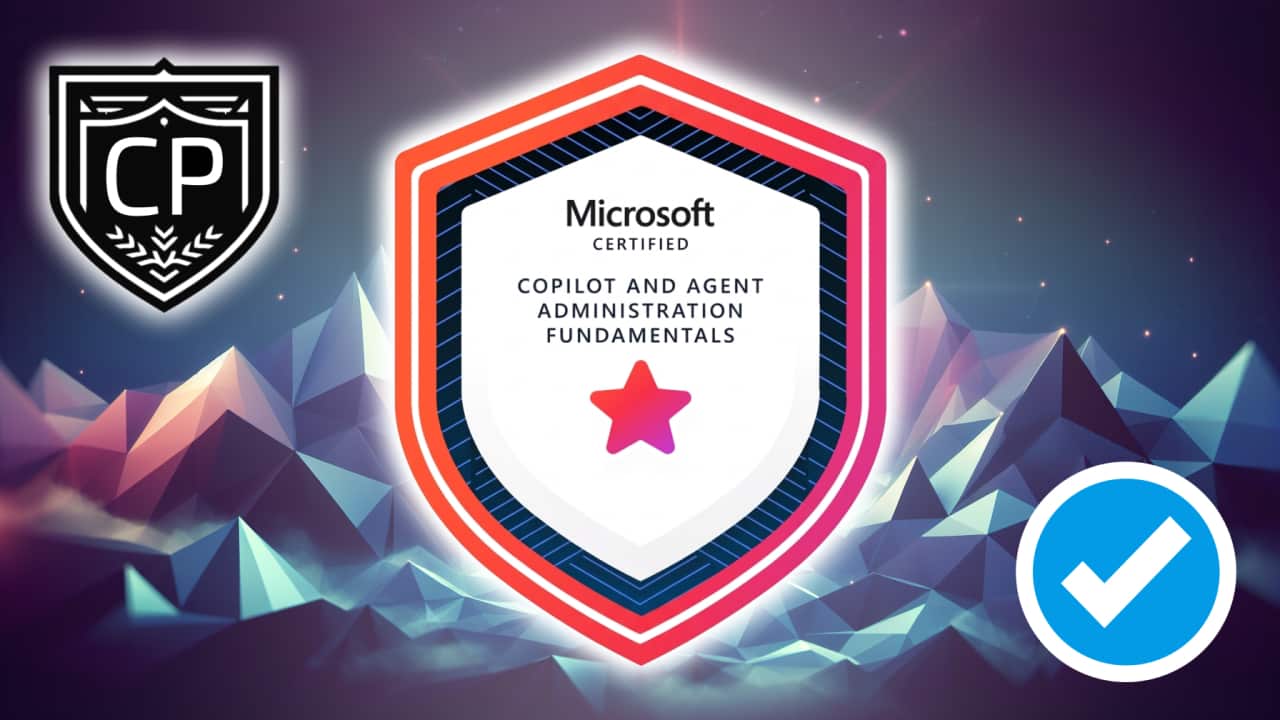
Microsoft 365 Copilot and Agent Administration Fundamentals Quick Facts (2025)

Prepare for the Microsoft 365 Certified: Copilot and Agent Administration Fundamentals exam (AB-900) with this concise overview covering exam domains, study tips, costs, format, and key admin tasks for Microsoft 365, Copilot, agents, and Microsoft Purview.

Microsoft 365 Copilot and Agent Administration Fundamentals Quick Facts
5 min read
Microsoft 365 Copilot examAB-900Microsoft 365 Certified: Copilot and Agent Administration FundamentalsCopilot and Agent Administration FundamentalsCopilot administration certification
Table of Contents

Microsoft 365 Copilot and Agent Administration Fundamentals Quick Facts

Empower your journey into the world of intelligent productivity and AI-driven collaboration. This overview provides the essential details and guidance you need to confidently prepare for the Microsoft 365 Copilot and Agent Administration Fundamentals Certification.

What does the Microsoft 365 Copilot and Agent Administration Fundamentals Certification demonstrate?

The Microsoft 365 Copilot and Agent Administration Fundamentals Certification highlights your understanding of managing AI-powered tools across Microsoft 365. It validates your ability to configure Copilot capabilities, manage agents, oversee data protection, and apply best practices for secure, intelligent collaboration. This certification is perfect for professionals looking to combine administrative insight with emerging AI features to enhance productivity, governance, and user experience.

Exam Domains Covered (Click to expand breakdown)

Exam Domain Breakdown

Domain 1: Identify the core features and objects of Microsoft 365 services (33% of the exam)

Identify the core objects of Microsoft 365 services

  • Explain how license types assigned to users and groups affect access to Microsoft 365 features.
  • Explore the organization configurations by using the Microsoft 365 admin center (domain names and org settings).
  • Identify the appropriate objects to configure by using the Exchange Online admin center (mailboxes and distribution lists).
  • Identify the appropriate objects to configure by using the SharePoint in Microsoft 365 admin center (sites, libraries, and folders).
  • Identify the appropriate roles and permissions for sites in SharePoint in Microsoft 365.
  • Identify the appropriate objects to configure by using the Teams admin center (teams, channels, and policies).

Summary: This section ensures you understand how Microsoft 365 objects and administration centers shape the digital workplace. You will explore how user licenses align with services, discover how domain and organizational settings work together, and recognize each admin center’s role in supporting smooth collaboration.

You will also identify the right objects and permissions for Exchange, SharePoint, and Teams. Knowing where to configure each component reinforces your ability to support access, productivity, and security for users across Microsoft 365.

Understand the Microsoft 365 security principles

  • Explain the core Zero Trust principles.
  • Understand authorization.
  • Understand authentication methods.
  • Understand threat protection and intelligence.
  • Understand features and capabilities of Microsoft Defender XDR.

Summary: This section builds your foundation in the security framework that underpins Microsoft 365. You will connect concepts of Zero Trust to practical authorization and authentication approaches, focusing on how identity-based security strengthens reliability.

It also introduces you to key protection layers such as Microsoft Defender XDR. By understanding threat intelligence and integrated defense, you will be prepared to maintain trust and safety across environments.

Identify the core security features of Microsoft 365 services

  • Understand features and capabilities of Microsoft Entra.
  • Understand conditional access policies.
  • Understand the purpose and benefits of SSO.
  • Identify the appropriate security object to use in an organization (users and groups).
  • Identify the appropriate tools to troubleshoot common sign-in issues (multifactor authentication [MFA], conditional access, and risky sign-ins).
  • Interpret Identity Secure Score in Microsoft Entra ID.
  • Use the appropriate tools to review audit logs for user and admin activity.
  • Identify the role of Privileged Identity Management (PIM) in an organization.
  • Understand App registrations and Enterprise apps.

Summary: This section helps you understand the security and identity features that keep Microsoft 365 environments safe. You will interpret how Entra, conditional access, and SSO improve secure sign-ins while keeping experiences seamless for users.

It also covers monitoring and troubleshooting with tools like audit logs and Secure Score. With an understanding of Privileged Identity Management and app registrations, you will be ready to protect identities and applications effectively.

Domain 2: Understand data protection and governance tasks for Microsoft 365 and Copilot (38% of the exam)

Understand Microsoft Purview

  • Understand features and capabilities of Microsoft Purview Information Protection, Microsoft Purview Data Loss Prevention (DLP), Microsoft Purview Insider Risk Management, Microsoft Purview Communication Compliance, Microsoft Purview Data Security Posture Management (DSPM) for AI, and Microsoft Purview Data Lifecycle Management.
  • Identify the use cases for sensitivity labels in Microsoft Purview.
  • Understand data classification in Microsoft Purview.
  • Understand retention.

Summary: This section focuses on how Microsoft Purview provides comprehensive data governance and compliance management. You will learn the capabilities of Purview tools for information protection, data loss prevention, insider risks, communication compliance, and AI data posture management.

You will also explore data classification, labeling, and retention to strengthen compliance posture and automate data protection. This helps ensure data integrity across Microsoft 365 and Copilot environments.

Understand data security implications of Copilot

  • Understand how Copilot accesses data.
  • Understand how Microsoft Graph influences Copilot responses.
  • Understand how Copilot uses permissions and other controls in Microsoft 365, Microsoft Purview, and Microsoft Defender to protect against risks.
  • Understand responsible AI principles.

Summary: This section explores how data governance and security extend into Copilot interactions. You will learn how Microsoft Graph and permissions directly affect how Copilot retrieves and uses organizational data, maintaining control and trust.

Focus is placed on responsible AI principles and transparency in AI-driven features. You will develop awareness of how security and compliance align when Copilot delivers insights and creative output.

Identify data protection and governance risks for Microsoft 365 and Copilot

  • Identify compliance risks and recommendations by using Microsoft Purview Compliance Manager.
  • Identify sensitive information by using Microsoft Purview Data Explorer.
  • Identify risks by using Insider Risk Management.
  • Identify and respond to alerts generated by Microsoft Purview DLP.
  • Identify policy violations generated by Communication Compliance.
  • Identify user activities reported by Microsoft Purview activity explorer.
  • Discover and manage AI activity by using DSPM for AI.
  • Search for files and emails by using Content search in Microsoft Purview eDiscovery.

Summary: This section strengthens your ability to recognize and respond to data protection and governance alerts. You will learn how to analyze compliance posture, detect policy violations, and use AI-centric tools for visibility into sensitive data.

You will also practice identifying and investigating data interactions within Microsoft 365 and Copilot through monitoring and eDiscovery. This prepares you to safeguard regulatory and organizational requirements proactively.

Identify and monitor oversharing in SharePoint in Microsoft 365

  • Identify the tools to troubleshoot oversharing in an organization.
  • Run a data access governance report in SharePoint.
  • Understand features and capabilities of SharePoint Advanced Management, including restricted site access.

Summary: This section covers visibility into sharing behaviors and access policies in SharePoint. You will use reports and advanced management features to prevent data oversharing and ensure permissions stay aligned with compliance.

You will also learn how data access governance reports enable targeted insights for secure collaboration. By mastering these tools, you can maintain productivity while confidently protecting shared content.

Domain 3: Perform basic administrative tasks for Copilot and agents (28% of the exam)

Understand features and capabilities of Copilot and agents

  • Compare the built-in capabilities of Copilot and agents.
  • Compare Copilot monthly license model to pay-as-you-go, including SharePoint.
  • Identify which Copilot features can be enabled or disabled.
  • Identify use cases for Researcher.
  • Identify use cases for Analyst.
  • Identify use cases for custom agents.

Summary: This section introduces how Copilot and agents function within Microsoft 365 environments. You will compare licensing options and explore how Copilot supports flexible deployment models based on organizational needs.

You will evaluate use cases for research, analysis, and custom solutions, highlighting the value Copilot brings to collaboration and data-driven insights. Understanding available feature controls helps you guide adoption responsibly.

Perform basic administrative tasks for Copilot

  • Assign Copilot licenses.
  • Monitor and manage Copilot pay-as-you-go billing policies.
  • Monitor Copilot usage and adoption, including Copilot Analytics and the Microsoft 365 admin center.
  • Manage prompts, including saving, sharing, scheduling, and deleting.

Summary: This section equips you with the fundamentals for operational management of Copilot. You will learn license allocation, billing visibility, and analytics tracking to ensure optimized usage.

Additionally, you will discover best practices for maintaining prompt templates and scheduling capabilities. These skills help maintain predictable operations, cost alignment, and a healthy adoption rhythm.

Perform basic administrative tasks for agents

  • Identify how to configure user access to agents.
  • Create an agent.
  • Understand approval process for agents.
  • Monitor agents, including usage, operational insights, and agent lifecycle, by working with the Microsoft 365 admin center and the Microsoft Power Platform admin center.

Summary: This section provides an overview of agent configuration and life cycle management. You will set up user access, create agents aligned with organizational goals, and understand how approval processes support governance.

You will also monitor usage and performance through Microsoft 365 and Power Platform admin centers. These capabilities ensure consistent delivery and effective scaling for AI-driven business solutions.

Who Should Pursue the Microsoft 365 Certified: Copilot and Agent Administration Fundamentals Certification?

The Microsoft 365 Certified: Copilot and Agent Administration Fundamentals certification is perfect for individuals beginning their journey into the world of AI-powered productivity and Microsoft 365 administration. It’s ideal for:

  • Aspiring Microsoft 365 administrators and IT professionals
  • Students or professionals interested in emerging AI workplace tools
  • Business analysts, project managers, or team leaders working in Microsoft 365 environments
  • Technical support staff looking to expand into Copilot or agent management

This certification highlights your ability to support and manage an AI-enabled Microsoft 365 environment, giving you a strong foundation for future role-based or specialty certifications from Microsoft.

What Types of Roles Can This Certification Help Me Qualify For?

While the Copilot and Agent Administration Fundamentals certification is an entry-level credential, it sets you apart as someone who understands AI administration fundamentals and modern workplace governance. Common job roles that benefit from it include:

  • Microsoft 365 Administrator Assistant
  • AI Productivity Specialist
  • IT Support or Help Desk Analyst
  • Collaboration Administrator
  • Junior Systems Administrator
  • Copilot or Agent Support Associate

Most importantly, it provides a stepping stone toward advanced Microsoft certifications and future roles in security, compliance, or AI-driven automation.

What Is the Current Version and Exam Code?

The current exam version is identified by the exam code AB-900. This beta exam focuses on Microsoft 365 Copilot features, AI-driven administration, and secure data governance. When you study, ensure that your learning materials and practice resources align specifically with Exam AB-900 content.

How Much Does the Exam Cost?

The Microsoft 365 Copilot and Agent Administration Fundamentals exam costs $99 USD. Pricing may differ slightly based on your country or the currency used when scheduling the exam through Pearson VUE. It’s an affordable way to earn a globally recognized credential backed by Microsoft.

How Many Questions Are on the Exam?

You can expect approximately 60 questions on the exam. These questions include multiple-choice, multi-select, and short scenario-based items designed to assess your understanding of Microsoft 365 and AI administration fundamentals. Each question is crafted to measure practical comprehension rather than simple memorization.

How Much Time Do I Have to Complete the AB-900 Exam?

Candidates are given 45 minutes to complete the assessment. This duration provides ample time for thoughtful review of each section, as the questions are concise yet focused on evaluating your understanding of Microsoft 365 Copilot, agents, and Microsoft Purview data protection concepts.

What Languages Are Available?

At the moment, the Microsoft 365 Copilot and Agent Administration Fundamentals exam is available in English. Microsoft often localizes exams into other languages based on demand, which may expand your options over time.

What Score Do I Need to Pass?

To earn your certification, you must achieve a passing score of 700 out of 1000. This equates to approximately 70%. Microsoft uses a scaled scoring model, which means you don’t need to pass every domain individually—the total score determines your overall result. Because this exam is currently in beta, results may take longer to process as Microsoft refines its scoring.

How Difficult Is the Microsoft 365 Copilot and Agent Administration Fundamentals Exam?

This is a beginner-level certification, carefully designed to help new administrators and curious learners succeed. It introduces essential Microsoft 365 concepts like user access management, data security, AI functionality, and Copilot administration without heavy technical prerequisites. With structured learning and a bit of practical exploration in Microsoft 365, most candidates perform well.

What Domains Are Covered on the Exam?

The AB-900 exam covers three main domains, each with defined weightings:

  1. Identify the core features and objects of Microsoft 365 services (30–35%)

    • Understand licenses, admin centers, and security principles
    • Explore Exchange Online, SharePoint, and Teams configurations
    • Learn Zero Trust, authentication, and conditional access concepts
  2. Understand data protection and governance tasks for Microsoft 365 and Copilot (35–40%)

    • Explore Microsoft Purview capabilities
    • Learn how Copilot accesses and secures data
    • Identify compliance risks and governance insights with DLP, eDiscovery, and DSPM for AI
  3. Perform basic administrative tasks for Copilot and agents (25–30%)

    • Manage Copilot licenses and pay-as-you-go models
    • Monitor usage, analytics, and adoption metrics
    • Configure, approve, and track agents through the Microsoft 365 and Power Platform admin centers

These domains ensure you master everything from foundational configuration to advanced AI productivity oversight.

Are There Any Prerequisites?

There are no formal prerequisites for this exam. Microsoft recommends that you have foundational experience with Microsoft 365 services, such as Teams, SharePoint, and Exchange, along with an understanding of general security and data governance. Curiosity and a desire to understand how AI enhances workplace productivity are all you need to get started.

What Background Knowledge Will Help Me Succeed?

To prepare confidently, ensure you are familiar with:

  • Microsoft 365 admin centers and service management
  • Core security principles including authentication, authorization, and SSO
  • Microsoft Purview’s data protection capabilities
  • AI concepts like Copilot, agents, and responsible AI usage

Even if you’re new to administration, free labs and tutorials on Microsoft Learn can give you the hands-on experience you need to reinforce theory with practice.

What Are Some Smart Study Tips for Exam AB-900?

Start by understanding the exam domains and focusing your study sessions around practical tasks you can perform in a demo environment. Combine Microsoft Learn modules with knowledge checks and flashcards. To truly test your readiness, try out these top-rated Microsoft 365 Copilot and Agent Administration Fundamentals practice exams that simulate real test conditions with detailed explanations for each answer.

How Long Will My Microsoft 365 Copilot and Agent Fundamentals Certification Stay Valid?

Once earned, your certification remains valid indefinitely as of the current program structure. However, Microsoft periodically updates skill areas and may require renewal or a free online assessment in the future to verify you stay current with advancing AI technologies.

How Can I Take the Exam?

You have two convenient options:

  1. Online proctored exam through Pearson VUE

    • Take the exam from home or office
    • Requires stable internet, a webcam, and a quiet environment
  2. In-person at a Pearson VUE testing center

    • Great for those who prefer a traditional exam setting

Both options ensure the same secure and professional testing experience.

Can I Retake the Exam If I Don’t Pass the First Time?

Absolutely. If you do not pass the first attempt, you can retake the AB-900 exam after 24 hours. For subsequent retakes, additional waiting periods may apply. Each attempt offers valuable insights and helps strengthen your confidence and knowledge base.

Microsoft provides an array of quality materials to help you prepare, including:

  • Microsoft Learn learning paths and modules
  • Instructor-led training from Microsoft partners
  • Microsoft Purview and Entra documentation
  • Exam Readiness resources such as webinars and community forums

Combining these official learning paths with practice tests ensures a balanced preparation strategy.

What Are the Key Tools I’ll Learn to Use?

During your preparation for the Microsoft 365 Copilot and Agent Administration Fundamentals certification, you’ll gain foundational experience with:

  • Microsoft 365 Admin Center for tenant and service configurations
  • Microsoft Entra ID for identity and access management
  • Microsoft Purview for compliance, retention, and classification
  • Copilot dashboards and agent management tools within Microsoft 365

These tools are instrumental for anyone administering security, compliance, and AI integration in Microsoft 365 workspaces.

What Are the Main Benefits of Earning This Certification?

Earning the Microsoft 365 Certified: Copilot and Agent Administration Fundamentals credential demonstrates you’re ready to manage and secure an AI-enabled Microsoft 365 ecosystem. Benefits include:

  • Enhanced credibility as a Microsoft 365 professional
  • Recognition as an early adopter of enterprise AI initiatives
  • Career advancement in IT administration or workplace AI adoption
  • Entry into the broader Microsoft certification ecosystem

This certification shows employers you’re prepared for the future of AI-assisted productivity and governance.

Is This Exam Recognized by Employers?

Yes. Businesses adopting Microsoft 365 Copilot solutions value certified professionals who can implement and administer AI responsibly while maintaining organizational compliance and data protection. This certification signals verified expertise in one of the fastest-evolving areas of enterprise technology.

What Should I Study First When Preparing?

Start by building your knowledge of Microsoft 365 core services—especially Teams, SharePoint, and Exchange. Then explore data security essentials within Microsoft Purview before diving into Copilot-specific management tasks. A steady, domain-by-domain approach helps reinforce understanding through progressive learning.

How Do I Register for the Microsoft 365 Copilot and Agent Administration Fundamentals Exam?

Registering is simple. Visit the official Microsoft 365 Copilot and Agent Administration Fundamentals certification page to schedule your exam through Pearson VUE. Choose between an online or test-center option, select your preferred date and time, and complete payment to confirm your spot.


The Microsoft 365 Certified: Copilot and Agent Administration Fundamentals (Exam AB-900) certification is your exciting gateway into the world of AI-driven innovation and Microsoft 365 administration. With focused study, practical experience, and the right preparation tools, you’ll be well-equipped to prove your skills and take advantage of the growing demand for intelligent workspace administrators.
Share this article
Microsoft 365 Copilot and Agent Administration Fundamentals Mobile Display
Free Practice Exams (2025):Microsoft 365 Copilot and Agent Administration Fundamentals
LearnMore